How FlipScan works

From item in hand
to profit in seconds.

No spreadsheets. No guessing. Just point, scan, and know exactly what an item is worth — and what to pay for it.

📸 AI Vision
📊 Live eBay Data
💰 25.3% fees factored in
⚡ Under 3 seconds
Step 01

Open the app.
Tap Scan Item.

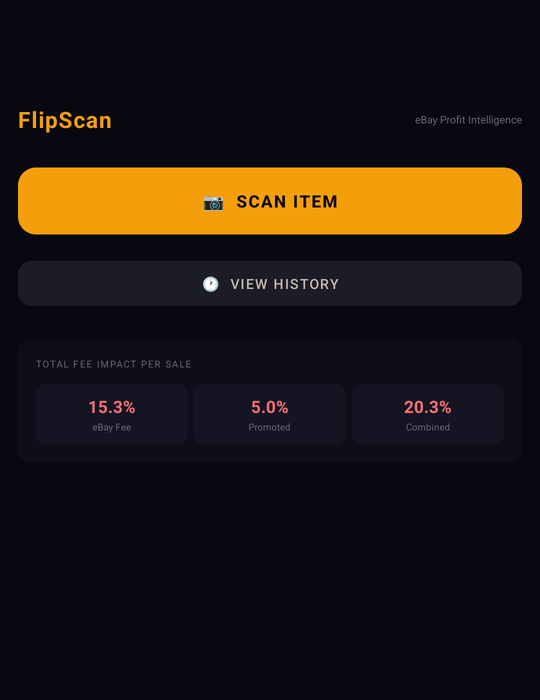
FlipScan's home screen shows you everything at a glance — your eBay fee rates, a quick-access scan button, and your recent history. No setup, no configuration. Just tap and go.

The fee breakdown is always visible so you never forget the real cost of selling. eBay takes 15.3% as a final value fee, plus a standard 10% for promoted listings — 20.3% combined before you've made a dime.

FlipScan home screen showing Scan Item button and fee breakdown
Step 02

Point your camera.
AI does the rest.

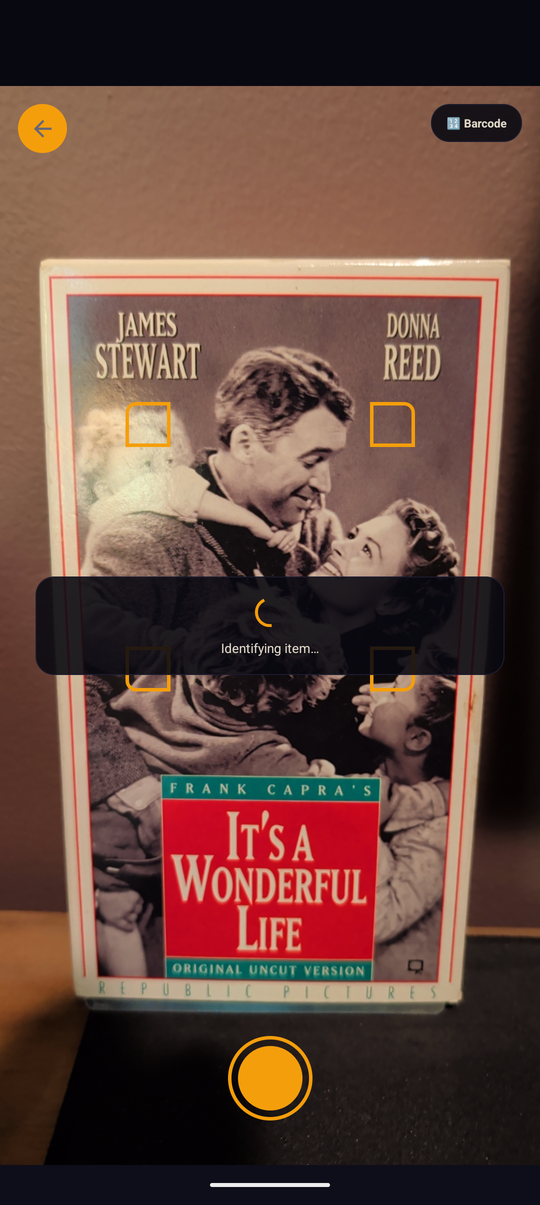
Tap the shutter and FlipScan's camera captures a high-quality image of the item. The orange scan frame guides you to frame it correctly. The moment you tap, AI analysis begins immediately.

Claude AI vision — one of the most accurate large vision models available — analyzes the photo in real time. It identifies brands, models, edition details, and condition from the image alone. No barcode required.

FlipScan camera screen identifying an It's a Wonderful Life VHS tape
Step 03

Review the ID.
Correct anything wrong.

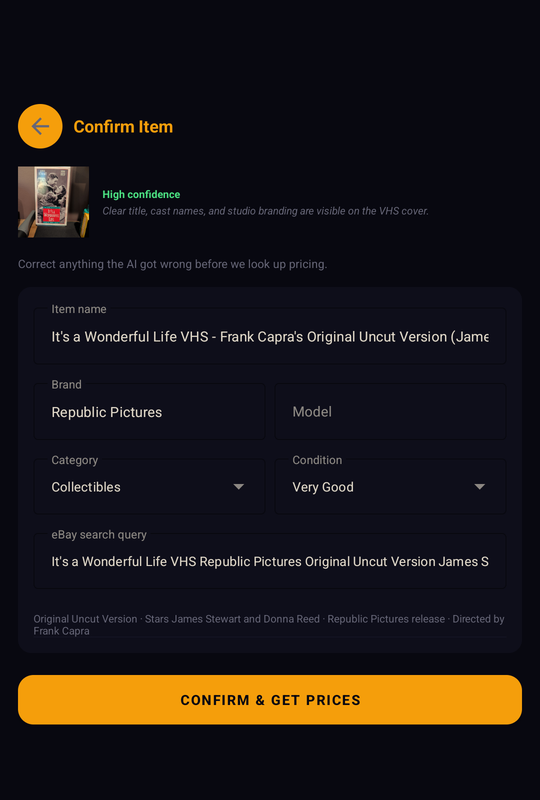
Before pulling prices, FlipScan shows you exactly what the AI identified — item name, brand, category, condition, and the eBay search query it will use. You can edit any field before confirming.

This confirmation step is what sets FlipScan apart. Wrong identification means wrong pricing means bad buying decisions. We show our work so you stay in control.

FlipScan confirm item screen showing AI identification of an It's a Wonderful Life VHS
Step 04

Real prices.
Real profit numbers.

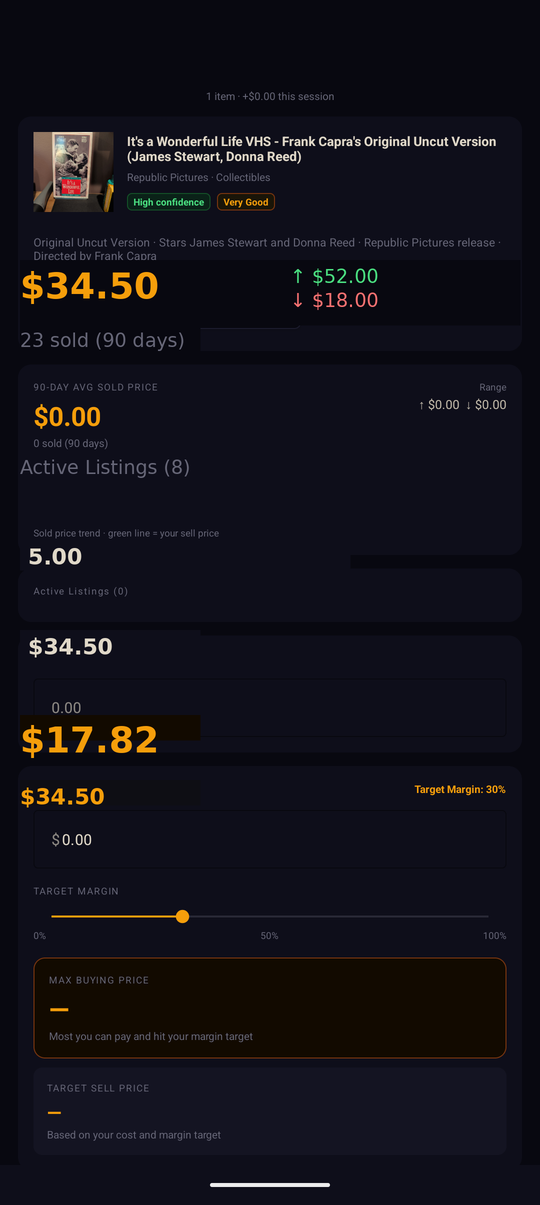
FlipScan pulls live data from eBay — 90 days of sold listings and current active listings — and calculates your profit in real time. Enter what you'd pay, and the numbers update instantly.

The Max Buying Price is the headline number — the most you can spend on the item and still hit your target margin after every fee. It moves in real time as you adjust the margin slider.

FlipScan analysis screen showing eBay pricing data and profit calculator
Max Buy
$17.82
90-Day Avg
$34.50
Step 05

Set it your way.
Once.

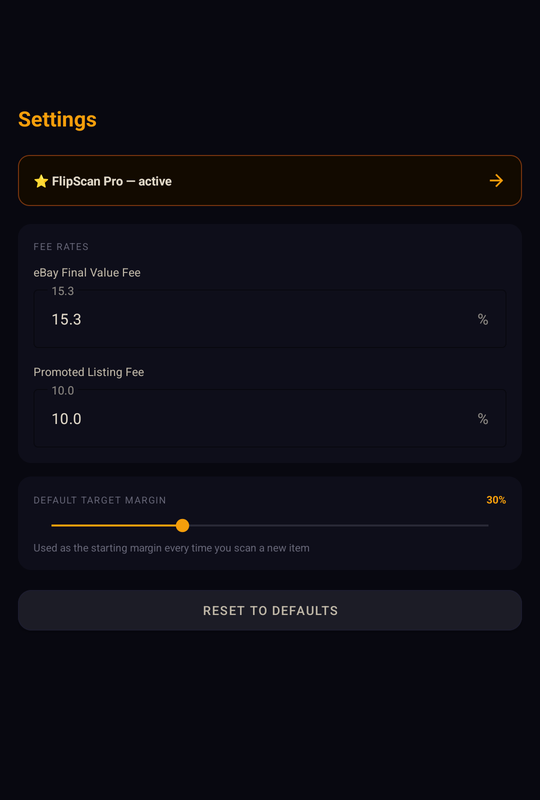
FlipScan Pro unlocks full customization. Set your default eBay fee rates, your promoted listing percentage, and your starting target margin. Every scan uses your settings automatically.

If eBay adjusts their fee structure, or if you sell in a category with different rates, just update Settings once and every future calculation reflects your real numbers.

FlipScan settings screen showing fee rates and default margin slider

Smart Caching

Pricing data is cached for 6 hours. Scan the same item twice and results load instantly — no wait, no extra cost.

🕐

Scan History

Every scan is saved. Search past items, revisit prices, and build a personal record of what sells in your sourcing territory.

🔄

Fallback Search

Low confidence? One tap runs a broader search query. You're never stuck with a bad result mid-sale.

📶

Works Offline

Cached items are available even without a connection. Your history is always accessible, even in a basement or rural sale.

The math matters

Why most resellers
underestimate fees

eBay's fee structure has multiple layers. Most resellers remember the final value fee but forget promoted listings — and that 10% adds up fast at volume.

FlipScan bakes every fee into every calculation automatically. There's no mental math, no surprises at payout time.

Example: $34.50 sale price
Sale price $34.50
eBay Final Value Fee (15.3%) − $5.28
Promoted Listings (10%) − $3.45
Your cost basis − $5.00
Net profit + $20.77
ROI 415%
Max buying price (30% margin) $17.82

Ready to flip smarter?

Download FlipScan free and know your number before you buy.

↓ Download on Google Play